
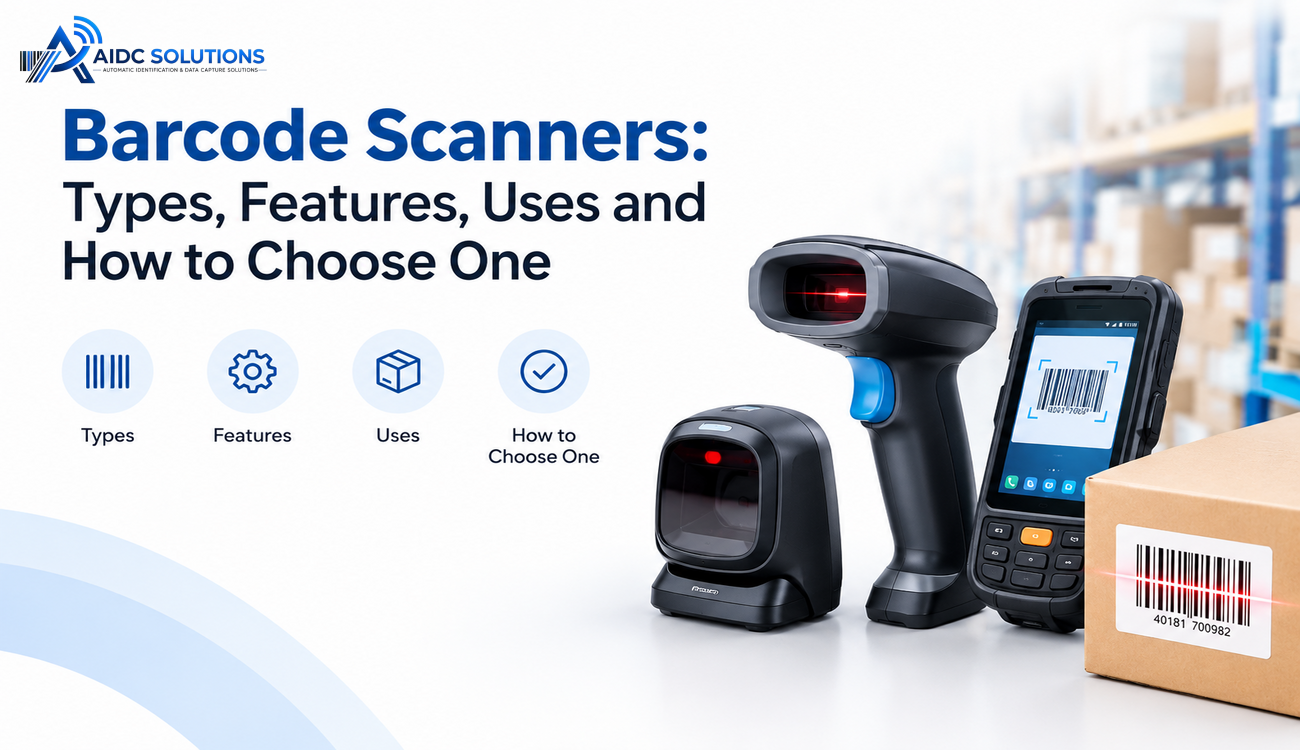
Barcode technology has become an essential part of modern business operations, helping organizations identify products, manage inventory, track assets, and process transactions more efficiently. From retail stores and warehouses to healthcare facilities and manufacturing plants, businesses rely on accurate data capture to reduce manual work and improve operational visibility. Barcode Scanners play a central role in this process by reading encoded information from printed or digital barcodes and converting it into usable data for business systems.
As companies handle larger volumes of products, orders, and inventory records, selecting the right scanning technology becomes increasingly important. The right device can improve processing speed, reduce data entry errors, and support better inventory control. However, different scanning technologies offer different levels of accuracy, range, durability, and compatibility. Understanding their types, features, applications, and selection criteria helps businesses make informed decisions that align with their operational requirements.
What Are Barcode Scanners?
Barcode Scanners are electronic devices that read the patterns or encoded information contained in barcodes and convert them into digital data. This information typically represents a product identifier, serial number, batch number, asset code, or other reference that can be processed by connected software.
A scanner generally uses an optical sensor, an illumination source, and decoding technology to interpret a barcode. Once the code is captured, the device sends the decoded information to a connected computer, point-of-sale terminal, mobile device, or inventory management system. Depending on the model, this connection may use a USB cable, Bluetooth, Wi-Fi, or another supported interface.
The scanning process allows businesses to retrieve product information without manually entering long identification numbers. For example, a warehouse employee can scan a product label to update stock records, while a retail cashier can scan an item to retrieve its price. When integrated with business software, scanning devices help maintain consistent records across purchasing, storage, sales, and distribution activities.
Types of Barcode Scanners
Different barcode scanning technologies are designed for specific operating environments, barcode formats, and workflow requirements. Understanding these options helps businesses choose equipment that delivers reliable performance without unnecessary expense.
Laser Barcode Scanners
Laser scanners use a laser beam to read the contrasting lines of traditional one-dimensional barcodes. The device detects reflected light and interprets the pattern to identify the encoded information.
These scanners are commonly used in retail checkout counters, libraries, and basic inventory operations where conventional linear barcodes are sufficient. They are often valued for their straightforward operation and fast reading performance.
However, laser technology generally cannot read two-dimensional barcodes such as QR codes. Businesses that require support for multiple barcode formats or digital screen scanning may need an alternative technology.
CCD Barcode Scanners
Charge-coupled device scanners, commonly known as CCD scanners, use an array of light sensors to capture reflected light from a barcode. Instead of relying on a laser beam, they measure the light and dark patterns across the code.
CCD devices are suitable for retail environments, small warehouses, and applications involving short-distance scanning. Their solid-state construction can make them durable for routine commercial use because they do not depend on moving optical components.
Their reading distance is generally limited compared with some long-range scanning technologies. Therefore, businesses should evaluate whether employees need to scan items directly at a counter or from a greater distance.
Imager Barcode Scanners
Imager scanners capture an image of a barcode and use decoding software to interpret its information. These devices are available as one-dimensional imagers and two-dimensional area imagers, with the latter supporting a broader range of barcode formats.
Two-dimensional imagers can read traditional linear barcodes, QR codes, and Data Matrix codes when supported by the device. Many models can also capture barcodes displayed on smartphone screens, making them useful for digital tickets, loyalty programs, and mobile payment workflows.
Their versatility makes imager technology a popular choice for organizations seeking equipment that can support current requirements and future scanning needs.
Handheld Barcode Scanners
Handheld scanners are portable devices that employees hold while scanning products, packages, or equipment. They are commonly available in wired and wireless configurations.
Wired models are suitable for fixed workstations, while wireless models offer greater mobility across warehouses, retail floors, and production areas. Some handheld devices are designed for demanding environments with protective housings and enhanced resistance to dust, drops, and moisture.
Fixed-Mount Barcode Scanners
Fixed-mount scanners are installed at specific locations, such as conveyor belts, packaging lines, sorting stations, or automated production systems. Products pass through the scanning area, allowing codes to be captured without requiring an employee to operate a handheld device for every item.
These scanners are particularly useful in high-volume operations where consistent scanning speed and automation are important. Depending on the model and setup, they can support continuous product identification and integration with manufacturing execution or warehouse management systems.
Mobile Computer Scanners
Mobile computer scanners combine barcode reading capabilities with a handheld computing device. They often include a display, operating system, wireless connectivity, and applications that allow employees to perform inventory-related tasks directly at the point of scanning.
These devices can support receiving, stock transfers, cycle counting, picking, and dispatch operations. Because scanning and software access are available on one device, they can reduce the need to switch between separate equipment during daily workflows.
Key Features to Consider
Choosing suitable scanning equipment requires more than comparing purchase prices. Businesses should evaluate the features that directly influence accuracy, employee productivity, system compatibility, and long-term operating costs.
Barcode Compatibility
The scanner must support the barcode formats used by the organization. One-dimensional codes are common in retail and inventory labeling, while two-dimensional formats are widely used for product identification, healthcare tracking, and applications that require more information within a compact code.
Companies planning to introduce QR codes or Data Matrix labels should verify that their selected devices support those formats.
Scanning Speed and Accuracy
Scanning speed influences how quickly employees can process products, orders, and inventory movements. High-volume warehouses and checkout counters may benefit from devices designed for rapid, repeated scanning.
Accuracy is equally important because incorrect readings can create inventory discrepancies, billing mistakes, or traceability gaps. Reliable decoding performance and the ability to read damaged or poorly printed labels can help reduce scanning interruptions.
Connectivity Options
Modern scanners support different connection methods depending on their intended use. USB connections are common for fixed workstations, while Bluetooth supports wireless operation over short distances. Wi-Fi-enabled mobile devices can communicate with business applications across compatible networks.
Before purchasing, businesses should confirm that the equipment works with their existing computers, mobile devices, point-of-sale systems, and enterprise software.
Durability and Ergonomics
Scanning equipment should match the physical conditions in which it will operate. Retail counters may require standard commercial devices, while manufacturing floors and warehouses may need rugged models designed to withstand repeated drops, dust, and temperature variations.
Ergonomic design also matters because employees may scan hundreds or thousands of items during a shift. A comfortable grip, manageable weight, and easy-to-use trigger can reduce fatigue and improve handling efficiency.
Battery Life and Scanning Range
Wireless scanners require sufficient battery capacity to support daily operations without frequent interruptions. Businesses operating multiple shifts should consider battery life, charging time, replaceable batteries, and charging infrastructure.
Scanning range is another important factor. Short-range devices work well at counters, whereas warehouse operations involving high shelves may require long-range models designed for scanning labels from a distance.
Common Uses of Barcode Scanners Across Industries
Barcode scanning supports a wide variety of business processes by connecting physical items with digital records. Its value extends beyond checkout transactions to include inventory accuracy, asset visibility, operational automation, and product traceability.
Retail and E-Commerce
Retailers use scanning technology to identify products, calculate bills, update stock levels, and process returns. When connected to point-of-sale and inventory systems, scanning helps maintain accurate product records and improves the consistency of sales data.
E-commerce businesses also use scanners during order picking, packing, and dispatch. Employees can verify product identifiers against order records, reducing the likelihood of incorrect items being shipped to customers.
Warehousing and Logistics
Warehouses depend on accurate item identification to manage receiving, put-away, picking, cycle counting, and shipping. Scanning enables employees to confirm product locations and record inventory movements as they happen.
Logistics providers use Barcode Scanners to track parcels, verify shipments, and improve sorting accuracy. Integrating these devices with warehouse management systems provides better visibility into stock availability and order status.
Healthcare and Pharmaceuticals
Hospitals and healthcare facilities use barcode scanning to identify patient wristbands, medications, laboratory samples, and medical equipment. When properly integrated with clinical systems, scanning can support verification workflows and reduce identification errors.
Pharmaceutical businesses use barcode technology to manage inventory, identify batches, and support product traceability. The appropriate device must be compatible with the barcode formats, label conditions, and software requirements of the specific healthcare or pharmaceutical workflow.
Manufacturing and Asset Management
Manufacturers use scanning to identify raw materials, work-in-progress items, finished products, and components moving through production. Capturing product identifiers at important checkpoints helps maintain production records and supports quality control.
Organizations also use scanning for asset registration, equipment inspections, maintenance records, and movement tracking. Linking scanned identifiers to an asset management platform makes it easier to retrieve equipment information and maintain consistent records.
How to Choose the Right Barcode Scanner
Selecting the right equipment starts with understanding the tasks the device must perform. A scanner designed for a retail counter may not deliver the range, durability, or connectivity needed in a large distribution center.
Identify Your Operational Requirements
Start by identifying what employees will scan, how frequently scanning will occur, and where the equipment will be used. Consider barcode size, label quality, scanning distance, daily transaction volume, and environmental conditions.
A small retail business may need a compact handheld or presentation scanner, while an automated production line may require a fixed-mount solution capable of supporting continuous scanning.
Choose the Appropriate Scanning Technology
The next step is to match the scanning technology to your barcode requirements. Laser scanners may be sufficient for basic one-dimensional codes, while area imagers are generally more versatile for organizations using multiple barcode formats.
If employees must scan codes from mobile screens, read damaged labels, or capture information in challenging conditions, test the proposed equipment with representative labels before making a final decision.
Check Software Compatibility
A scanning device should work smoothly with the systems that store and process business information. These may include inventory management software, enterprise resource planning platforms, warehouse management systems, point-of-sale applications, or asset tracking solutions.
Confirm that the device supports the required operating systems, communication interfaces, data formats, and integration methods. Testing the scanner within the actual workflow can reveal compatibility issues before large-scale deployment.
Evaluate Total Cost of Ownership
Purchase price is only one part of the investment. Businesses should also consider replacement costs, batteries, charging accessories, protective equipment, maintenance, software integration, and employee training.
A lower-cost scanner may be appropriate for occasional use, but a more durable model could offer better long-term value in a demanding environment. Evaluating the total cost of ownership helps organizations balance initial spending with reliability and productivity.
Test Before Deployment
Before purchasing devices in large quantities, conduct a practical trial in the intended working environment. Test barcode readability, scanning speed, connectivity, comfort, and performance with the actual labels used by employees.
Collect feedback from the people who will operate the equipment every day. Their experience can help identify usability issues and ensure the selected device supports the workflow rather than creating additional steps.
Benefits of Integrating Barcode Scanners With Business Software
Scanning devices deliver greater value when connected to software that records and processes captured information. Instead of treating each scan as an isolated action, integrated systems can update inventory quantities, record product movements, validate orders, and maintain transaction histories.
For example, a warehouse employee scanning a product during dispatch can trigger an inventory update and associate the item with the relevant shipment. This reduces duplicate data entry and helps teams maintain more consistent records.
Integration also improves reporting by making operational information easier to retrieve and analyze. Managers can review stock movement, identify recurring errors, monitor processing performance, and make more informed replenishment decisions. The overall impact depends on the quality of implementation, data accuracy, and the suitability of the connected software.
Common Mistakes to Avoid When Buying Barcode Scanners
One common mistake is choosing a scanner based only on price without checking barcode compatibility. Another is purchasing standard commercial equipment for environments that require rugged protection, extended scanning range, or continuous operation.
Businesses can also overlook software compatibility, wireless coverage, battery requirements, and employee training. These issues may cause operational delays even when the scanner itself performs correctly.
It is equally important to consider future requirements. An organization that expects to introduce two-dimensional barcodes or expand its warehouse operations may benefit from equipment that supports those needs. Evaluating current workflows and planned growth helps prevent premature replacement and unnecessary additional costs.
Conclusion
Barcode scanning technology helps businesses improve identification accuracy, streamline inventory operations, and connect physical products with digital business records. From handheld and mobile devices to fixed-mount and imaging solutions, each scanner type offers advantages suited to different operational requirements.
Choosing the right Barcode Scanners involves evaluating compatibility, scanning performance, durability, connectivity, software integration, and total cost of ownership. The right solution can reduce manual effort, improve workflow consistency, and enhance visibility across business operations.
For organizations planning to modernize inventory management, warehouse operations, or product tracking, the most effective approach is to select scanning equipment based on real operational needs and integrate it with suitable business software. With the right combination of hardware, software, and implementation planning, barcode technology can become a reliable foundation for more efficient and data-driven operations.
FAQs
Q1. What are Barcode Scanners used for?
Barcode Scanners are used to read product codes and convert them into digital information. Businesses use them for inventory management, retail billing, warehouse operations, shipment tracking, asset identification, and healthcare record management. When integrated with business software, they help reduce manual data entry and improve operational accuracy.
Q2. What are the main types of Barcode Scanners?
The main types include laser scanners, CCD scanners, image-based scanners, handheld scanners, fixed-mount scanners, and mobile computer scanners. Each type serves different operational requirements, depending on barcode format, scanning distance, work environment, mobility, and transaction volume.
Q3. What is the difference between 1D and 2D Barcode Scanners?
One-dimensional scanners generally read traditional linear barcodes containing information in parallel lines. Two-dimensional scanners use imaging technology to read both linear and two-dimensional codes, including QR codes and Data Matrix codes. Businesses requiring support for multiple barcode formats often choose 2D scanners for greater flexibility.
Q4. How do I choose the right Barcode Scanners for my business?
Choosing the right device involves evaluating barcode compatibility, scanning speed, reading distance, connectivity, durability, battery life, and software integration. Businesses should also consider their operating environment, daily scanning volume, budget, and future requirements. Testing devices with actual labels before purchasing can help ensure reliable performance.
Q5. Can Barcode Scanners integrate with inventory management software?
Yes, most modern Barcode Scanners can integrate with inventory management software, ERP platforms, warehouse management systems, and point-of-sale applications. Depending on the device and software, scanned data can update stock quantities, record product movements, verify orders, and improve inventory visibility in near real time.